
Clone Websites You Own
and Download It as ZIP
Capture and export the HTML, CSS, JavaScript, images, and other publicly accessible assets of websites you own or are authorized to reproduce. Use WebCloner for migration, backup, archival, development, testing, and other lawful workflows.
Note: Only clone websites and content that you own or have permission to reproduce. You are responsible for ensuring that your use complies with applicable law and third-party rights.
RECREATION DEPTH
 HTML/CSS/JS
 WordPress
 Blogger
 Images & Assets
 ZIP Export
 Databases
 Video & Media
Powerful Tools for Website Migration & Backup
Everything you need to capture, migrate, back up, and develop with authorized website content.
Website Migration
Capture the structure and accessible assets of a website you own or are authorized to migrate, then use the exported files as part of your migration workflow.

Website Backup
Create downloadable archives of websites you own or manage so you can preserve a recoverable copy of your work.
Design Analysis
Analyze authorized website structures and workflows for development and testing purposes.
AI Development Workflows
Work with authorized copies of websites in local or development environments, integrating with modern AI-assisted workflows.
Your Dashboard, Built for Speed
Everything you need to manage authorized website captures, track usage, and export your work — all in one place.
Export Options
ZIP, WordPress, or Blogger
Clone Form
Paste URL, pick depth, start
Usage Stats
Projects, storage, plan limits
Live Progress
Real-time clone tracking
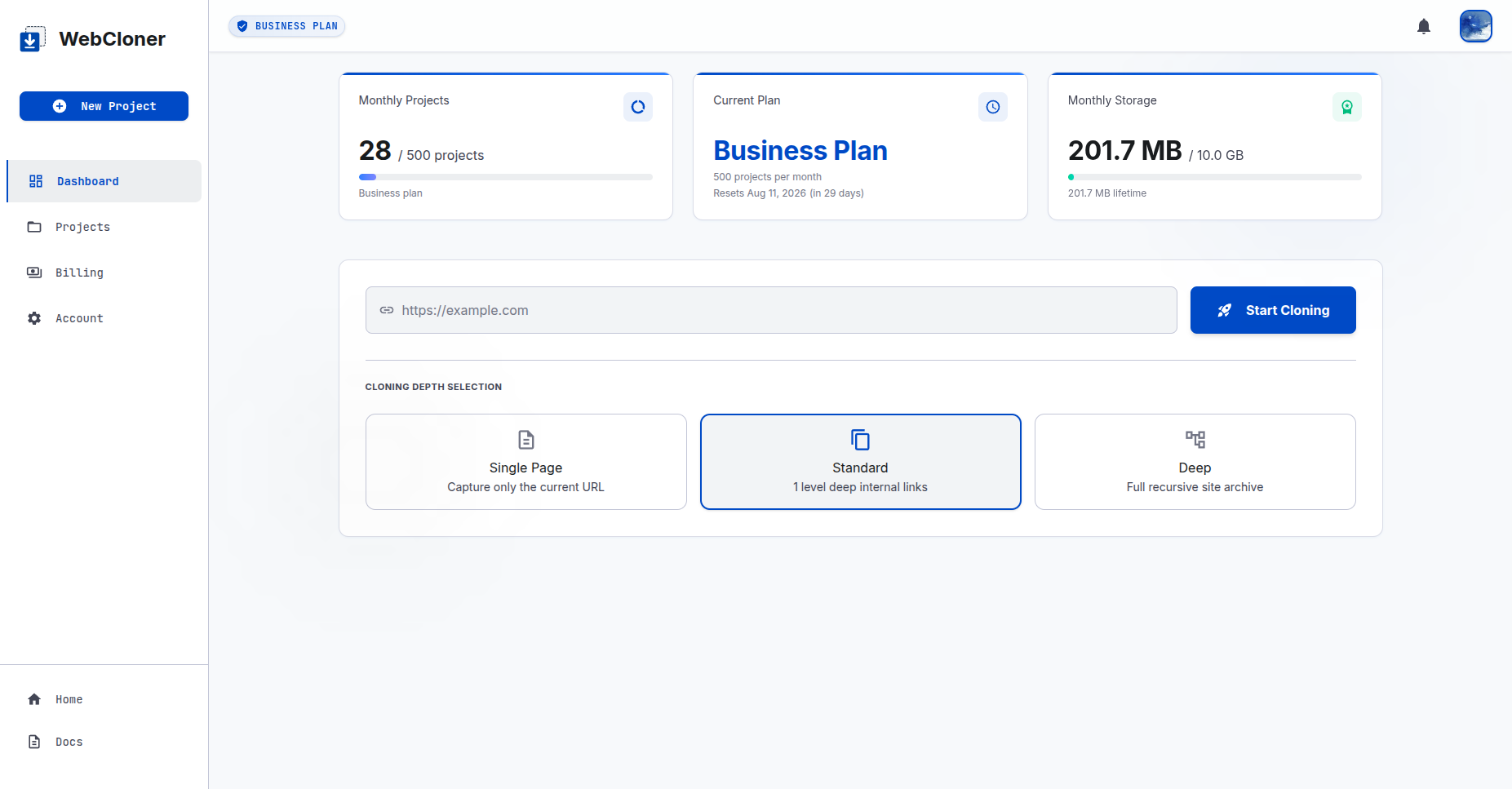
Usage Stats
Projects & storage
Clone Form
Paste URL & start
Export Options
ZIP, WP & Blogger
Live Progress
Real-time tracking
Built for Everyone
Who Works with Websites
Whether you're migrating a client site or archiving your own, WebCloner fits seamlessly into authorized workflows.
Developers
Work with authorized website copies to study code, create local development environments, and migrate between platforms.
- Works with React, Vue & Angular
- Authorized development environments
- Analyze authorized production sites
Agencies & Freelancers
Back up authorized client sites, migrate platforms, and deliver editable codebases when you have authorization.
- Faster client migrations
- Editable code exports
- Streamlined workflow
Bloggers & Content Creators
Export authorized website content as WordPress or Blogger imports and move your content between platforms in minutes.
- WordPress export support
- Blogger migration
- No technical setup required
Educators & Students
Capture authorized websites for educational analysis and study modern HTML, CSS, and layout techniques.
- Analyze authorized websites
- Learn modern CSS patterns
- Great for teaching & research
Get Started in 3 Simple Steps
Enter an Authorized URL
Enter the URL of a website you own or are authorized to reproduce.
WebCloner Captures Accessible Resources
WebCloner analyzes the publicly accessible resources required to recreate the website structure and packages supported assets.
Export Your Website
Download the resulting files for migration, backup, archival, development, testing, or another authorized purpose.
Trusted by Developers and Agencies Worldwide
Rahul M.
Freelance Web Developer
“WebCloner saved me hours on a client migration. I cloned their old static site and had the WordPress import ready in under 10 minutes.”
Sarah K.
Frontend Engineer
“Finally a tool that actually handles React sites. Other scrapers miss half the content — WebCloner got everything.”
James T.
Agency Owner
“We use WebCloner for every client backup before making major changes. It's become a standard part of our agency workflow.”
Maria L.
Digital Marketing Manager
“I needed to migrate a client's old brochure site to WordPress quickly. WebCloner handled the entire HTML structure and I only had to tweak a few styles afterward. Great time-saver.”
David C.
Technical SEO Consultant
“I use WebCloner to capture client sites before running SEO audits. Having a full offline copy makes it easy to check meta tags, headings, and internal linking structures without hitting the live server.”
Aisha W.
Full-Stack Developer
“I needed to archive a legacy client site before a server migration. WebCloner downloaded the entire thing — including the JavaScript-heavy navigation and lazy-loaded images — in one clean ZIP. No missing assets.”
Frequently Asked Questions
Is website cloning legal?
The legality of copying or reproducing a website depends on the content involved, your authorization, applicable licenses, the website's terms, and applicable law. WebCloner is intended for websites and content that you own or are authorized to reproduce. Users are responsible for ensuring that their use of WebCloner complies with applicable law and does not infringe third-party rights.
Can I clone any public website?
WebCloner can process publicly accessible website resources, but technical accessibility does not mean that you have the legal right to reproduce or redistribute them. You should only use WebCloner with websites and content that you own, have permission to reproduce, or are otherwise legally entitled to use.
Who is responsible for the content I process with WebCloner?
You are responsible for ensuring that you have the necessary rights, licenses, permissions, or other lawful basis to access, reproduce, download, modify, export, or otherwise use the website and its content. WebCloner does not grant you ownership or a license to third-party content merely because it can be accessed through the service.
Does WebCloner bypass login pages, paywalls, or access controls?
No. WebCloner is intended to process publicly accessible resources and is not designed to bypass authentication, paywalls, access controls, or other technical restrictions. Users must not use WebCloner to obtain unauthorized access to private or protected content.
Can agencies use WebCloner for client websites?
Yes. Agencies and developers can use WebCloner for client migrations, backups, development, testing, and other authorized workflows. You should have the appropriate authorization from the client before reproducing or exporting their website and content.
What does WebCloner export?
WebCloner exports a full ZIP file containing the website's HTML, CSS, JavaScript, and all other accessible assets. It also exports a WordPress feed for WordPress import and a Blogger xml feed for Blogger import.
Ready to Capture Your First Website?
Join developers and agencies worldwide who use WebCloner to migrate, back up, and develop with websites — in minutes, not hours.